
How to Create Multilingual Shopify Notification Emails
If your store serves customers in multiple languages, you can use RenderKu together with Shopify's Translate & Adapt app to send notification emails in each customer's language.
RenderKu doesn't have a built-in translation feature. Instead, you create a separate email template for each language and paste each version into Shopify's Translate & Adapt system. Shopify then automatically sends the correct language based on the customer's locale.
Prerequisites
Your store has additional languages enabled in Settings > Languages
Translate & Adapt is installed on your store
Steps
1. Create your email in your store's default language
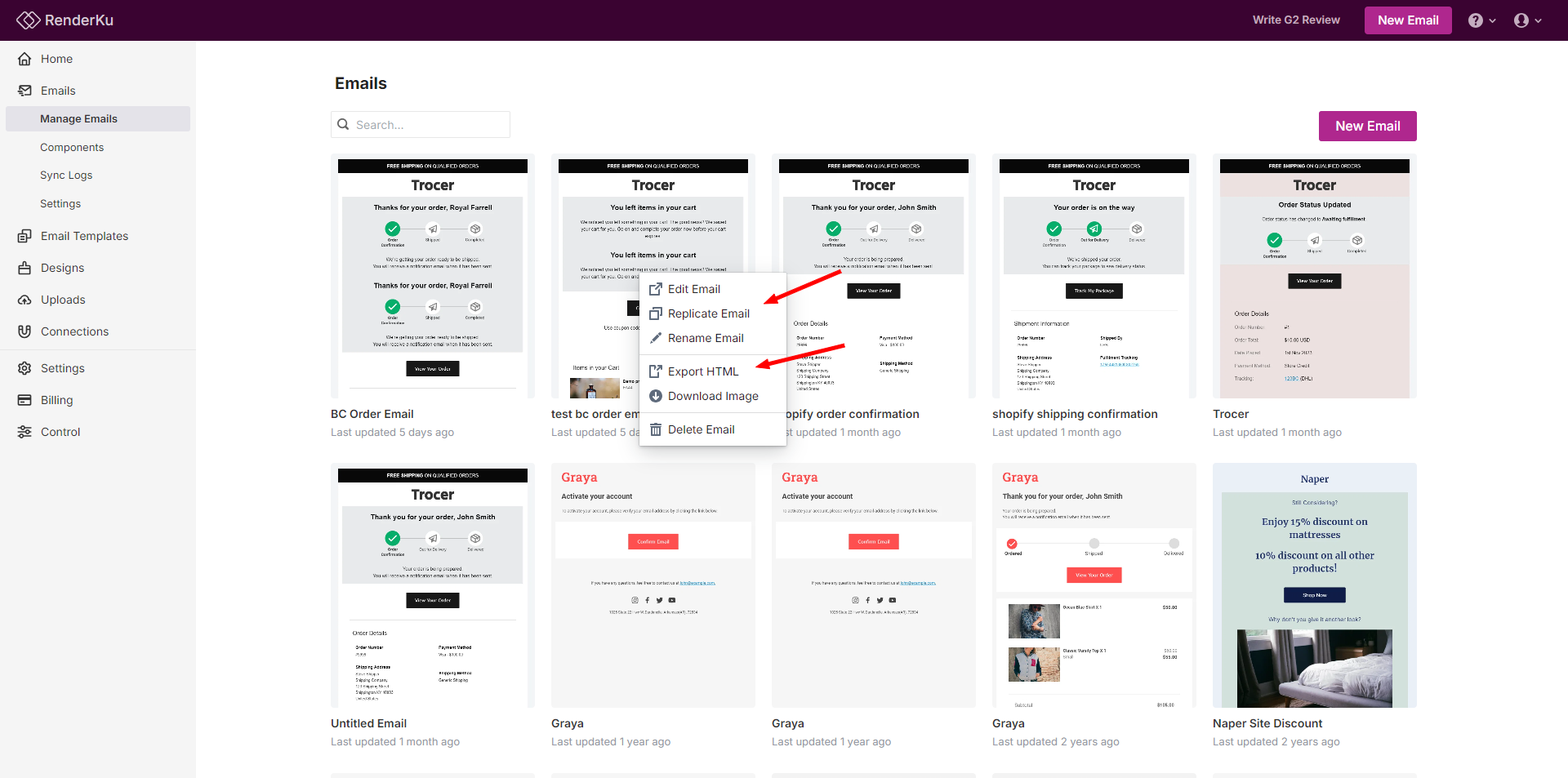
Design your notification email in RenderKu as you normally would. Export the HTML and paste it into the corresponding Shopify notification template under Settings > Notifications.
See How to export email to Shopify Email if you're not familiar with this step.
2. Replicate the email for each additional language
In RenderKu, use the Replicate function to duplicate your email. Rename the copy to include the language (e.g. "Order Confirmation - French"). Translate the text content in the editor for that language.
3. Export and paste into Translate & Adapt
For each translated email, export the HTML from RenderKu. Then open the Translate & Adapt app, find the matching notification template, select the target language, and paste the translated HTML.
You can also access this from Settings > Notifications by clicking on the notification email, selecting the language from the dropdown, and clicking Edit code.
4. Repeat for each language
Repeat steps 2 and 3 for every additional language your store supports.
5. Preview
Go to Settings > Notifications, click on the email template, and use the language dropdown to preview each version.
Notes
This process is manual. If you update the design of your email, you'll need to re-export and re-paste for each language.
Shopify Liquid variables (like
{{ order_name }},{{ shipping_address }}) work the same across all languages. Only translate the static text, not the Liquid code.Shopify determines which language to send based on the customer's locale at time of purchase.